FedBloom
FedBloom
Now available · v1.0 for Windows

Federated Learning
Without the Code

FedBloom is a no-code desktop platform for building, training, and deploying federated learning experiments — across real networks or simulated clients.

Download for Windows See how it works

✓ Free tier available ✓ No credit card required ✓ Windows 10 / 11

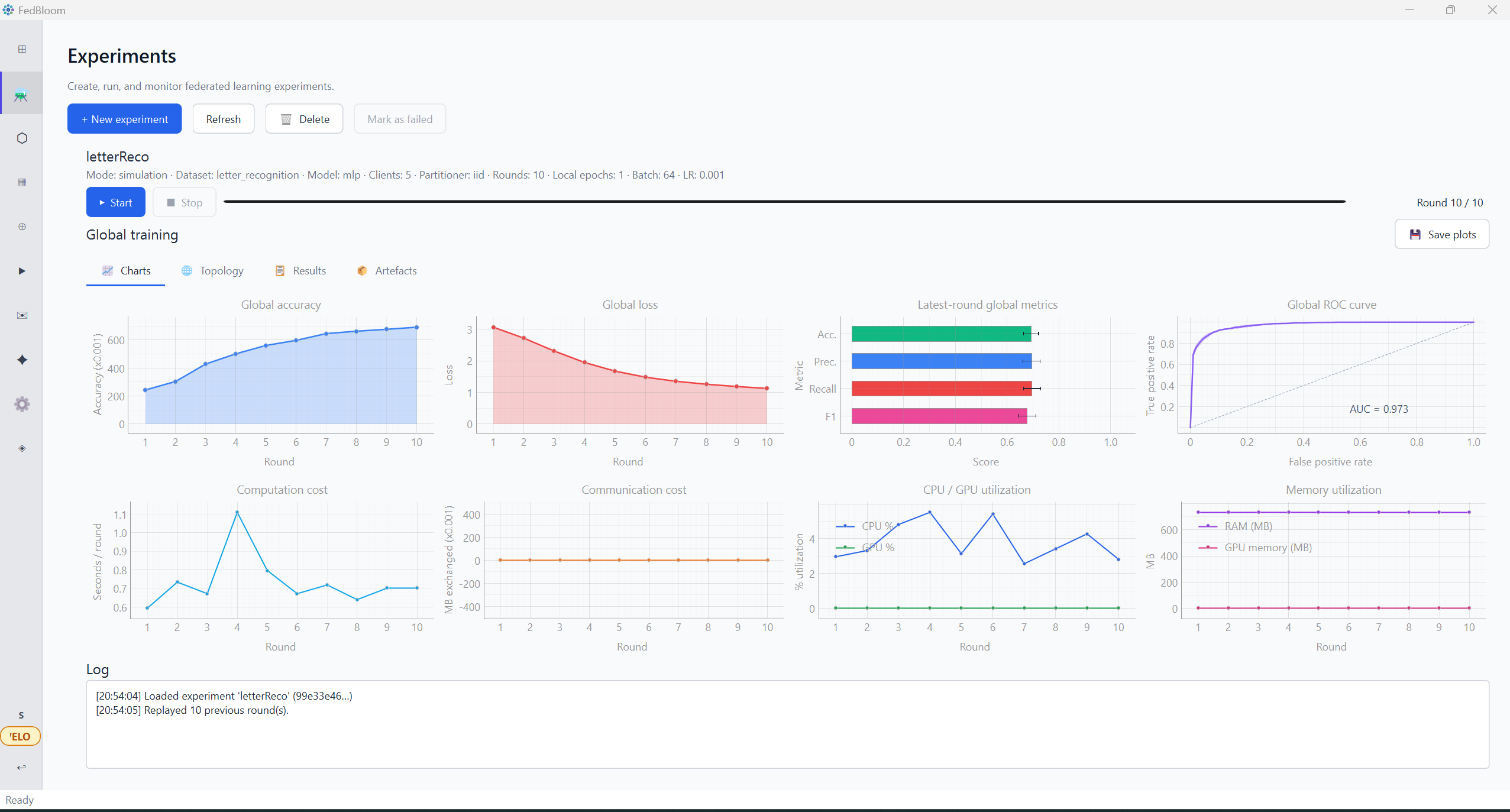
FedBloom — Experiments · Charts
30+
Built-in ML Models
100+
Max Simulated Clients
2
FL Frameworks · Flower & TFF
0
Lines of Code Required

You shouldn't need a PhD
to protect your data

Federated learning was locked behind thousands of lines of Python. FedBloom opens it to clinicians, bankers, researchers, and anyone with data worth protecting.

client.py — Traditional Federated Learning THE OLD WAY
# Step 1: Learn Python (months)
# Step 2: Learn PyTorch / TensorFlow (months)
# Step 3: Learn Flower framework (weeks)
# Step 4: Write all of this...

import flwr as fl
import torch, torch.nn as nn
from torch.utils.data import DataLoader
from collections import OrderedDict

class Net(nn.Module):
def __init__(self):
super().__init__()
self.fc1 = nn.Linear(784, 128)
self.fc2 = nn.Linear(128, 10)
def forward(self, x):
return self.fc2(torch.relu(self.fc1(x)))

class FLClient(fl.client.NumPyClient):
def get_parameters(self, config):
return [v.cpu().numpy()
for _, v in
self.model.state_dict().items()]
def fit(self, parameters, config):
# ... load weights, train loop,
# ... DataLoader, optimizer,
# ... loss function, backprop ...
pass
def evaluate(self, parameters, config):
# ... more boilerplate ...
pass

# Server setup
strategy = fl.server.strategy.FedAvg(
fraction_fit=0.3,
min_fit_clients=3,
min_available_clients=3,
on_fit_config_fn=fit_config,
)

fl.server.start_server(
server_address="0.0.0.0:8080",
config=fl.server.ServerConfig(
num_rounds=10
),
strategy=strategy,
)

# Also need: data pipeline, preprocessing,
# environment setup, dependency management,
# network config, firewall rules...
# Estimated setup time: days to weeks.

Requirements
Python expertise PyTorch / TF knowledge Flower / TFF framework Network & firewall config Days to weeks of setup
FedBloom — No-Code FL THE NEW WAY
1
Open FedBloom → Enter as Server
No installation scripts. Just launch the app.
2
Click "+ New Experiment"
Name your experiment and choose a mode.
3
Select Model, Dataset, Strategy
Dropdowns — no code, no config files.
4
Upload your CSV dataset
FedBloom auto-preprocesses. No pandas. No sklearn.
5
Click ▶ Start
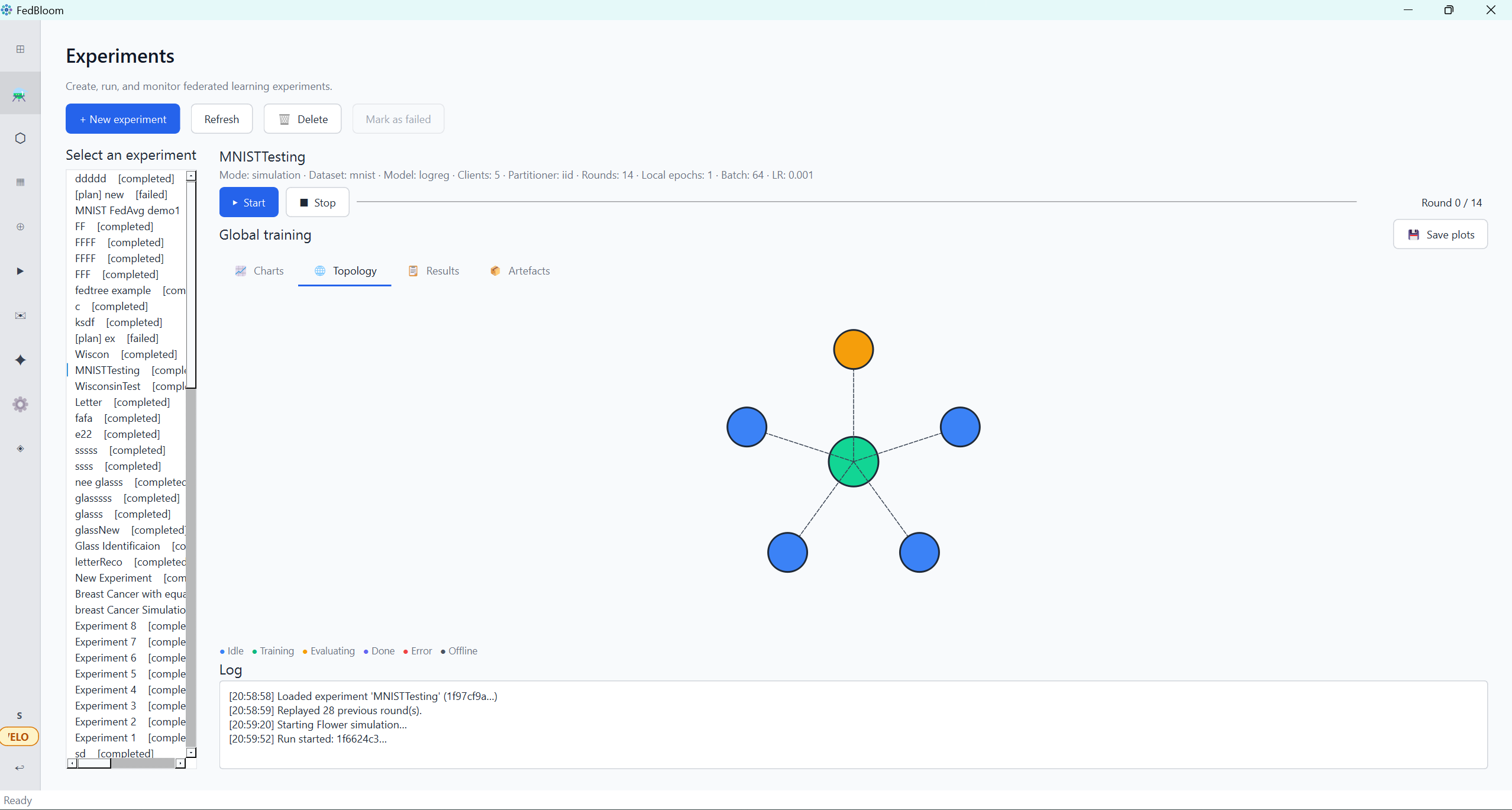
Watch accuracy, loss, and topology update live.
Done. Model trained.
Export results, download model, share insights.
Who can use this
🏥 Clinicians 🏦 Bankers 🧬 Researchers 🛡 Insurers 📊 Analysts

Your data is valuable. You shouldn't need to hire a developer to use it.

FedBloom gives hospitals, banks, labs, and clinics the same federated AI tools that only well-funded tech teams had before — with no code required.

Download Free — Start in Minutes

Everything you need
for federated learning

From model selection to real network deployment — all through a clean, modern GUI.

FedBloom in action
🧠
30+ Built-in Models
MLP, CNN, ResNet-18 and 9 more torchvision architectures (MobileNet, EfficientNet, VGG, DenseNet, ViT…), Logistic Regression, Linear SVM, Decision Trees, Random Forest, XGBoost, LightGBM, CatBoost, Naive Bayes, TabNet, Wide & Deep, and more — ready to use with zero config.
🌐
Real Network Deployment
Deploy server and client roles across real machines using your local network, Tailscale VPN, or public IP + port forwarding. Training continues even if not every expected client connects, and the server is notified automatically — with the option to keep going — if a client drops mid-session.
📊
Live Metrics Dashboard
Track accuracy, loss, F1 score, and per-round progress in real time with interactive charts and metric history.
🔒
Privacy-Preserving
Differential privacy (DP-SGD) and robust aggregation (Krum, FedProx) keep your federated training secure and noise-resistant.
🗂️
Data Pre-processing
A full workbench for both server and client roles — explore your data (overview, stats, charts), handle missing values, drop duplicates/outliers, normalise, one-hot/label encode, and export before training. Choose from 17+ built-in datasets (MNIST, CIFAR-10, Adult Income, Iris, Wine, and more) or bring your own — upload any CSV or image dataset.
Hyperparameter Optimisation
Automated HPO tunes learning rate, batch size, and model depth — find optimal configs without manual grid searches.
💬
Server–Client Messaging
Integrated chat between server operator and connected clients — coordinate training sessions without external tools.
Role-Aware Dashboard
Both Server and Client modes open to a tailored home screen — quick actions, recent experiments or deployments, and a live feature overview, scoped to what that role actually needs.
🎨
Dark & Light Themes
Beautiful, eye-friendly interface with instant theme switching. Looks great on any monitor, any time of day.

From launch to training
in minutes

FedBloom removes every technical barrier between you and your first federated experiment.

1
Choose your role
Launch FedBloom and select Server or Client. The server orchestrates the FL plan; clients contribute local data. Switch roles anytime from the welcome screen.
2
Configure your experiment
Pick a model, dataset, partitioner, aggregation strategy, and number of rounds — all via drop-downs and sliders. No YAML, no JSON, no terminal.
3
Connect clients
Share the server address. Clients enter it in the Client workspace and connect instantly — over the same WiFi, a VPN (Tailscale), or the open internet.
4
Train & monitor
Hit Run. Watch accuracy climb, loss fall, and client topology update live on the dashboard — then export results or share them with your team.

Plans for every team

Start free. Upgrade when you need more clients, more models, or real network deployment.

Free
Explore federated learning at no cost
€0 /mo
Free forever · no card needed
  • Up to 5 simulated clients
  • 10 core models — MLP, Logistic Regression, Decision Tree, Random Forest, XGBoost, Extra Trees, AdaBoost, Naive Bayes, Ridge, Elastic Net
  • Accuracy, Loss, F1, ROC metrics — global & local charts
  • All 9 aggregation strategies
  • IID, Dirichlet, Label Shard & Custom partitioners
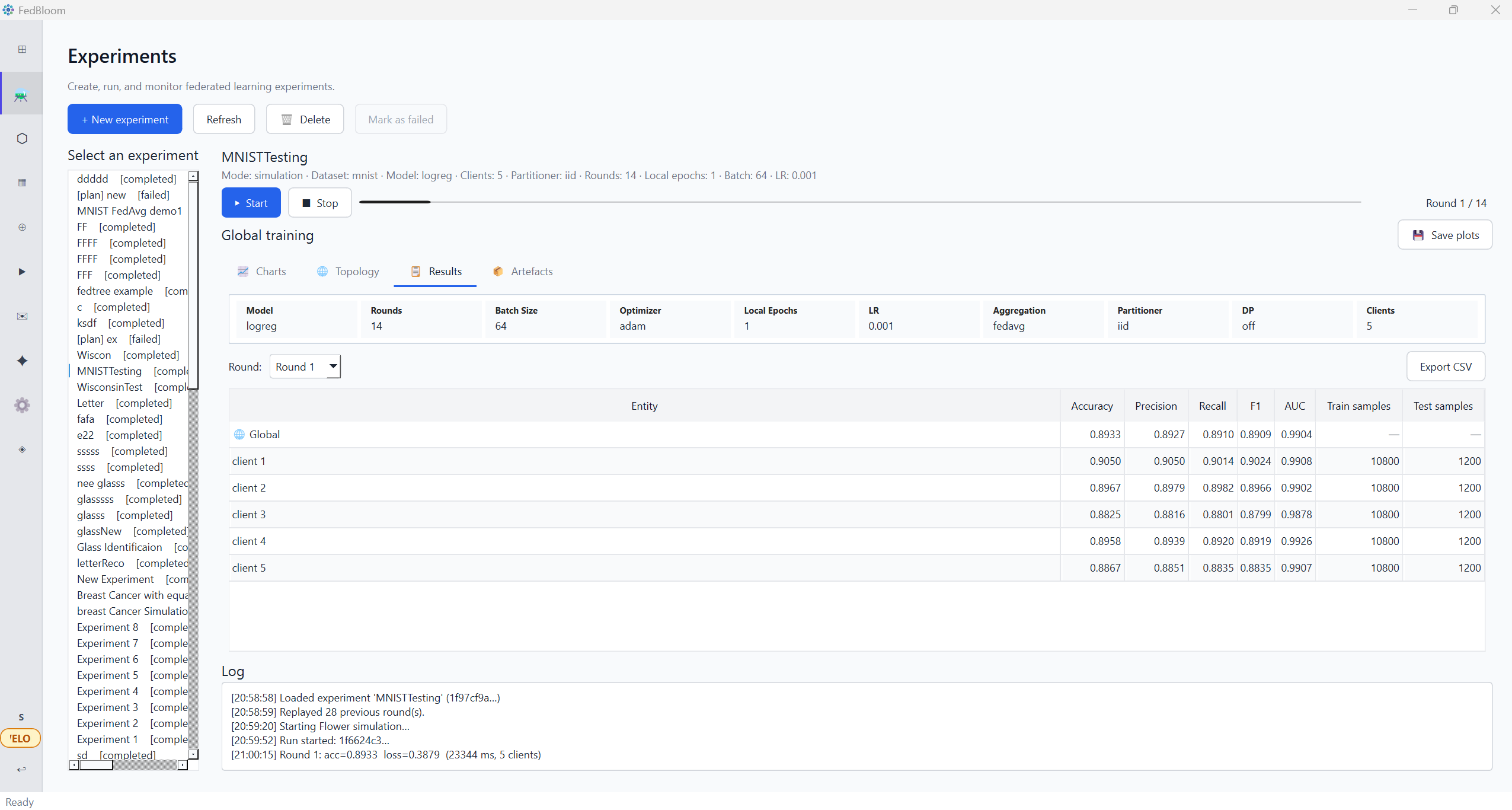
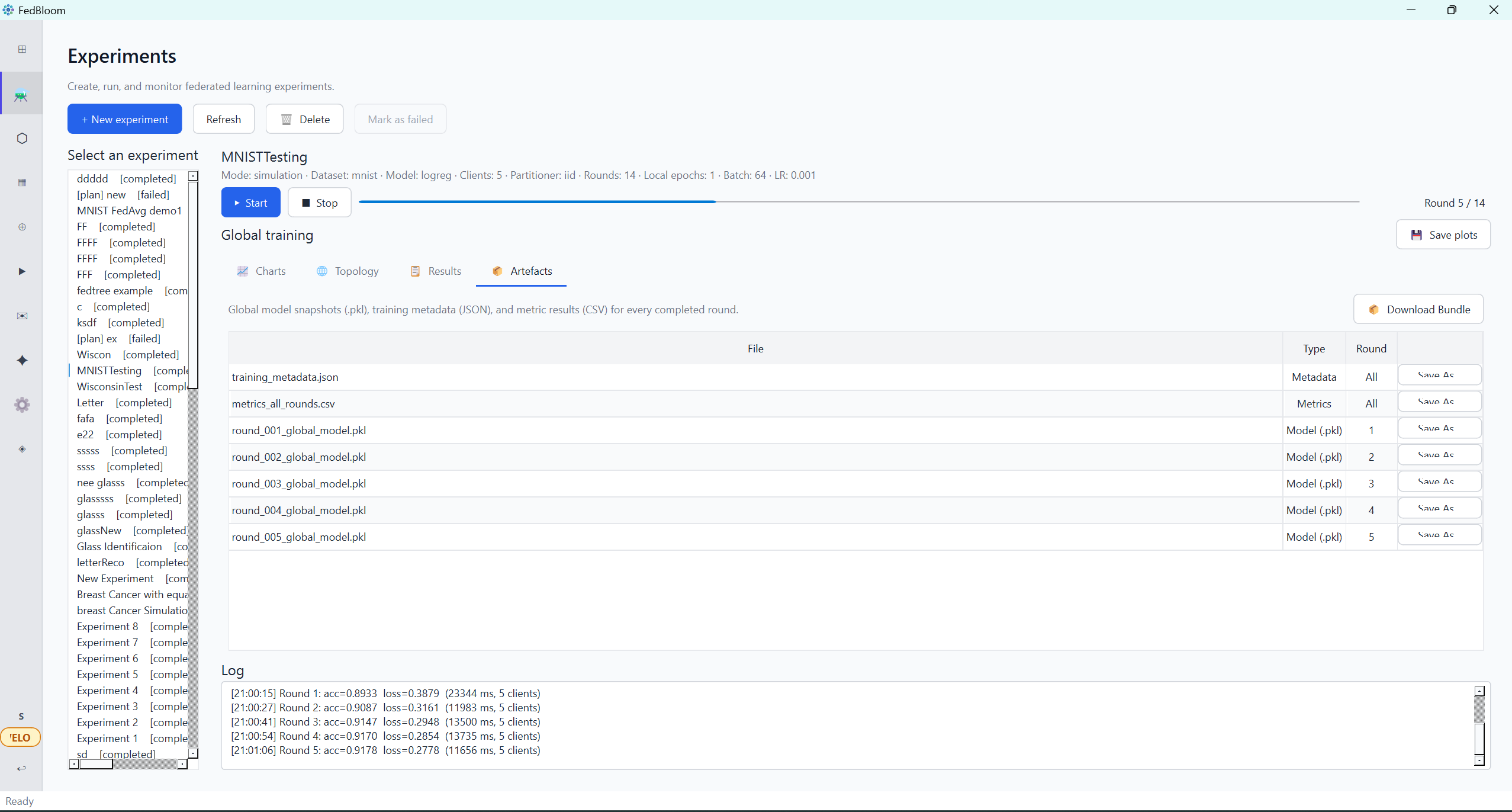
  • Results & Artefacts export (CSV, ZIP, .pkl)
  • Local FL simulation
Pro
Scale experiments and deploy to real networks
€3 /mo
Billed monthly · cancel anytime
  • Everything in Free, plus:
  • Up to 50 simulated clients
  • 20+ extended models — CNN, DNN, ResNet-18, Linear SVM, Custom NN Builder
  • 9 TorchVision models — MobileNetV2/V3, EfficientNet-B0, VGG-16, DenseNet-121, ViT-B/16 & more
  • TabNet · Wide & Deep tabular deep learning
  • HistGradientBoosting · LightGBM · CatBoost · LinearSVC
  • Differential privacy (DP-SGD via Opacus)
  • Hyperparameter optimisation (HPO)
  • Real network deployment — LAN, Tailscale, port forwarding + TLS
  • FL Plans — server pushes model & config to clients
  • Server–client in-app chat
Advanced
Maximum clients, unlearning & explainability
€5 /mo
Billed monthly · cancel anytime
  • Everything in Pro, plus:
  • Up to 100 simulated clients
  • Federated Machine Unlearning — remove a client's data influence post-training
  • Explainability — XAI / SHAP feature importance
  • AI Assistant — local LLM via Ollama
  • Priority support
System Requirements

What you need to run FedBloom

Lightweight and self-contained — no cloud dependency, no Docker, no setup scripts.

🖥 Operating System
  • Windows 10 (64-bit) or later
  • Windows 11 recommended
  • macOS / Linux — coming soon
⚙ Hardware
  • CPU: 4-core x86-64 (Intel / AMD)
  • RAM: 4 GB minimum, 8 GB recommended
  • Storage: 500 MB free disk space
  • GPU: optional (CUDA 11+ for acceleration)
🐍 Runtime
  • Python 3.10+ (bundled in installer)
  • PySide6 / Qt 6.x (included)
  • No manual Python install required
🌐 Network (real deployment)
  • Local: same WiFi / LAN network
  • Remote: Tailscale VPN or port forwarding
  • Ports: configurable (default 8080)
  • Simulation: no network needed
📦 Quick install
# Install via pip (dev mode)
pip install -e .

# Or run directly
python -m fedkit

Built with passion for
privacy-preserving AI

Zia ur Rehman
Zia ur Rehman
Lead Developer
Dept. of Computer Science and Information Systems, University of Limerick, Ireland
Douglas Mota Dias
Douglas Mota Dias
Contributor
Atlantic Technological University, Galway, Ireland
Saif Ul Islam
Saif Ul Islam
Contributor
Warwick Manufacturing Group, University of Warwick, Coventry, United Kingdom
Conor Ryan
Conor Ryan
Contributor
Dept. of Computer Science and Information Systems, University of Limerick, Ireland
v1.0.0 — Latest Release

Download FedBloom

Free to install. No account required to get started.

🪟
Windows
Windows 10 / 11 · 64-bit

FedBloom-Setup.exe
~85 MB · Installer
SHA-256 checksum available on GitHub  ·  MIT Licensed  ·  Runs fully offline